Android and iPhone are both powerful smartphone platforms, but they don’t offer the same features. While Apple focuses on simplicity and a tightly controlled ecosystem, Android gives users greater flexibility and customization.
If you’re deciding between the two or simply curious about their differences, this guide explains what Android can do that iPhone can’t, along with practical examples to help you understand which platform better suits your needs.
1. Customize the Home Screen More Freely
One of Android’s biggest advantages is customization.
You can:
- Change icon packs
- Install custom launchers
- Resize widgets
- Place apps anywhere on the screen
- Customize animations
- Change fonts on many devices
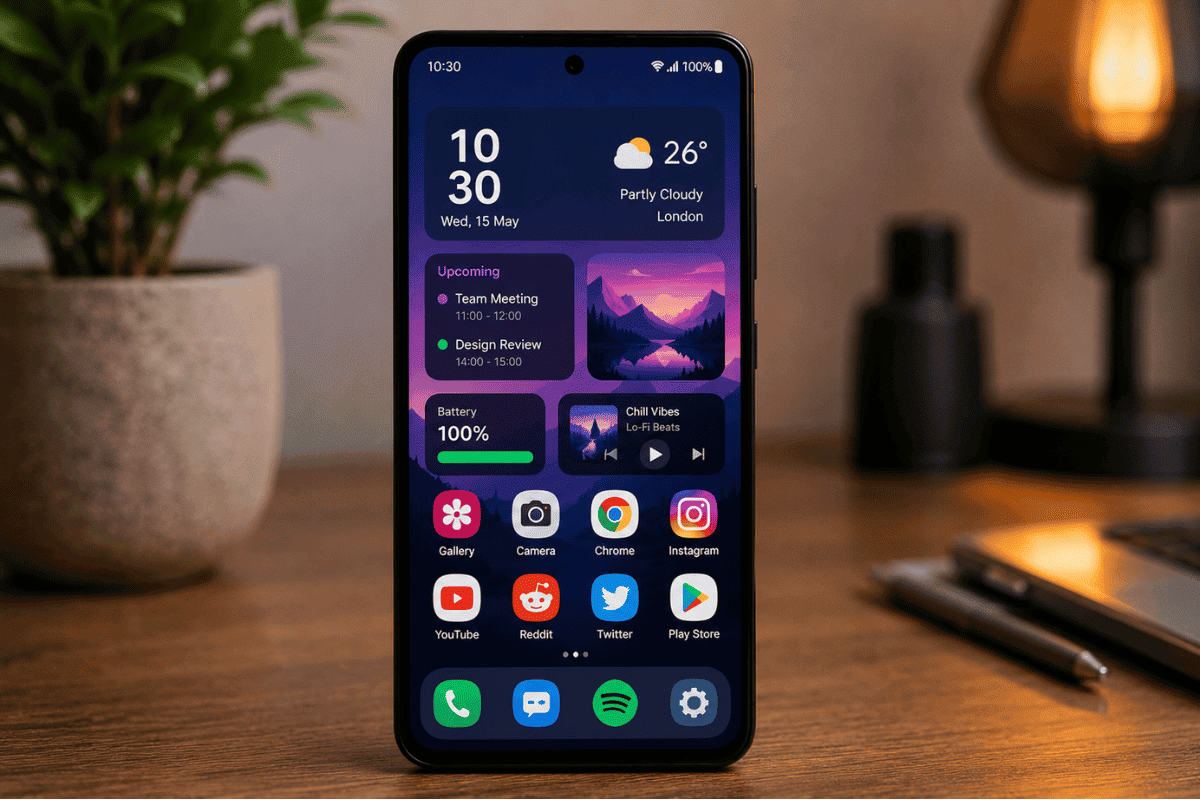
Although iPhone allows some customization, Android offers significantly more control over how your device looks and functions.
2. Use Split-Screen Multitasking
Many Android phones let you run two apps simultaneously.
For example, you can:
- Watch YouTube while taking notes
- Reply to emails while viewing documents
- Browse the web while chatting with friends
This feature is especially useful for productivity and isn’t available in the same flexible way on iPhones.
3. Access the File System Like a Computer
Android provides much better access to your files.
You can:
- Browse folders
- Move files between locations
- Connect USB drives
- Manage downloads easily
- Access storage using file manager apps
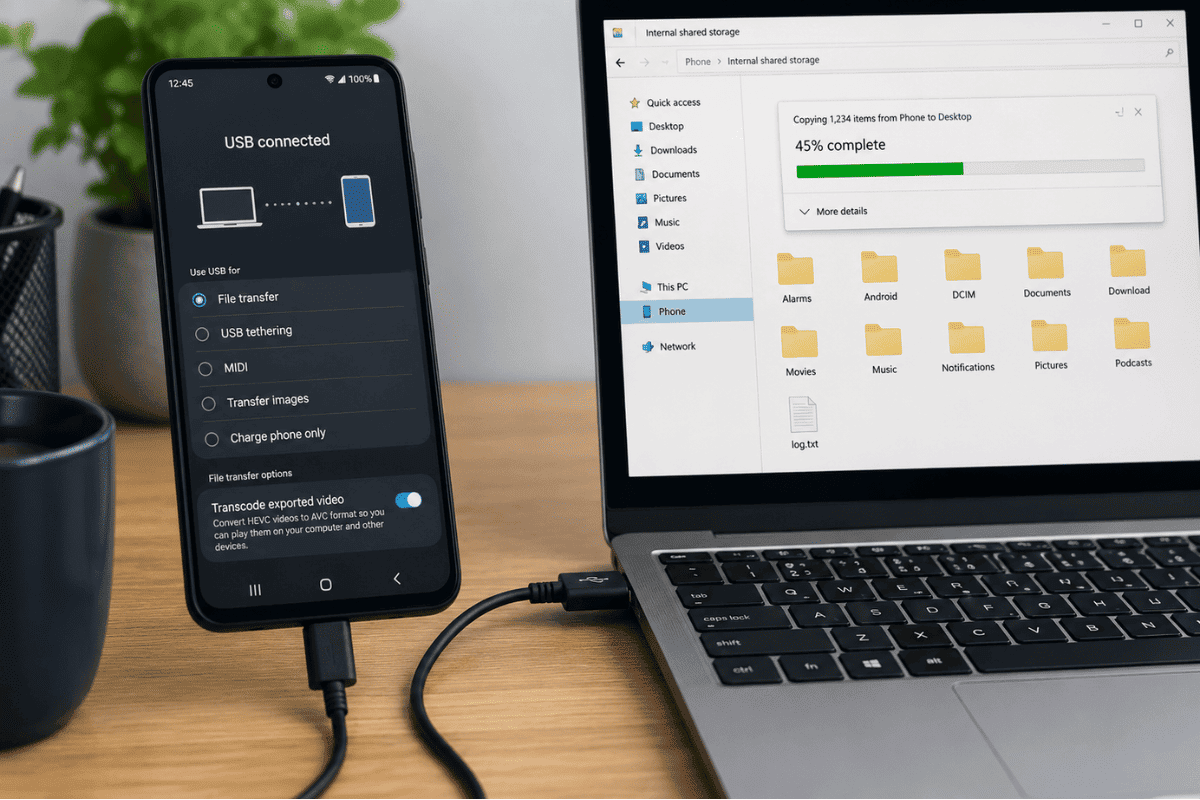
This makes Android feel much closer to using a traditional computer.
4. Install Apps from Different Sources
Android allows users to install apps outside the Google Play Store.
This is useful for:
- Beta applications
- Business apps
- Open-source software
- Developer testing
However, always download apps from trusted sources to reduce security risks.
5. Expand Storage on Many Android Phones
Many Android devices support microSD cards.
Benefits include:
- More storage for photos
- Additional space for videos
- Offline music libraries
- Backup files
Most iPhones do not support expandable storage.
6. Choose From More Hardware Options
Android is available on devices from many manufacturers.
You can choose phones with:
- Foldable displays
- Gaming features
- Stylus support
- Large batteries
- Budget-friendly prices
- Professional camera systems
This gives buyers more flexibility based on their budget and needs.
7. Set Default Apps
Android lets you choose default applications for many tasks.
For example:
- Default browser
- Phone app
- Messaging app
- Digital assistant
- Email application
This allows users to personalize their experience more than iOS.
8. Better USB Device Compatibility
Android phones often work with various external accessories.
Examples include:
- USB flash drives
- External keyboards
- Mouse devices
- Card readers
- Game controllers
- External storage
This makes Android useful for work, travel, and productivity.
9. More Flexible Widgets
Widgets on Android are larger and more interactive.
You can:
- Control music playback
- View your calendar
- Check weather updates
- Read emails
- Toggle smart home devices
Many widgets allow direct interaction without opening the full app.
10. Greater Control Over System Settings
Android offers advanced settings that appeal to power users.
These include:
- Developer Options
- USB debugging
- Custom refresh rates
- Default app permissions
- Background process controls
These tools provide greater flexibility for experienced users.
What Can iPhone Do Better?
While Android has many advantages, iPhones also excel in several areas.
Apple is known for:
- Long-term software updates
- Strong privacy protections
- Smooth integration with Macs and iPads
- Consistent app optimization
- Excellent video recording
Choosing between Android and iPhone depends on your priorities rather than one platform being universally better.
Which Phone Is Better for You?
Android may be the better choice if you:
- Like customization
- Want expandable storage
- Prefer a wider selection of devices
- Need advanced multitasking
- Frequently transfer files
An iPhone may suit you better if you:
- Prefer simplicity
- Already own Apple products
- Want long software support
- Value ecosystem integration
Both platforms are reliable when properly maintained.
Keep Your Phone Performing at Its Best
Whether you use Android or an iPhone, regular maintenance helps extend the life of your device.
Simple steps include:
- Install software updates.
- Keep enough free storage.
- Avoid overheating.
- Use quality charging accessories.
- Protect your phone with a case and screen protector.
If your phone develops charging issues, display damage, or battery problems, professional Cell phone repair services can help restore performance. For Apple devices, experienced iPhone repair technicians can diagnose hardware problems and replace damaged components using appropriate repair procedures.
Android and iPhone each have unique strengths, but Android stands out for its flexibility, customization, file management, multitasking, and broader hardware choices. These features make it a strong option for users who want greater control over their smartphones.
Regardless of which platform you choose, keeping your device updated and addressing hardware issues promptly can help ensure reliable performance. If software troubleshooting doesn’t solve a problem, a trusted repair professional can help keep your phone working at its best.
Frequently Asked Questions
Is Android more customizable than iPhone?
Yes. Android allows significantly more customization, including launchers, widgets, icon packs, and system settings.
Can Android install apps outside the Play Store?
Yes. Android supports installing apps from trusted third-party sources, although users should exercise caution.
Does every Android phone support expandable storage?
No. Many Android phones include a microSD card slot, but some premium models do not.
Is Android better for multitasking?
Generally, yes. Many Android devices offer split-screen mode and more flexible multitasking features.
Which platform is easier to use?
Many people find iPhones simpler because of Apple’s consistent interface, while Android provides greater flexibility for users who want more control.