
Yes, you can join a FaceTime call from an Android phone, but you cannot install Apple’s FaceTime app or start a standard FaceTime call directly from Android. Instead, an iPhone, iPad, or Mac user must create a FaceTime link and send it to you. You can then join the call through a supported web browser.
Here is how it works and what to try if you have problems connecting.
How Does FaceTime Work on Android?
Apple allows Android and Windows users to join FaceTime calls through a web browser. According to Apple, Android users need a reliable Wi-Fi or mobile data connection and the latest version of Google Chrome or Microsoft Edge.
There is no official FaceTime app for Android. You also cannot normally initiate a FaceTime call yourself from an Android device. Someone using a compatible Apple device needs to create and share the FaceTime link with you.
How to Join a FaceTime Call on Android
1. Ask the Apple User for a FaceTime Link
The person using an iPhone, iPad, or Mac can create a FaceTime link and send it to you through text message, email, WhatsApp, or another messaging service.
2. Open the Link in Your Browser
Tap the FaceTime link on your Android phone. For the best compatibility, open it using the latest version of Google Chrome or Microsoft Edge.
3. Enter Your Name
Type the name you want other participants to see and tap Continue.
4. Allow Camera and Microphone Access
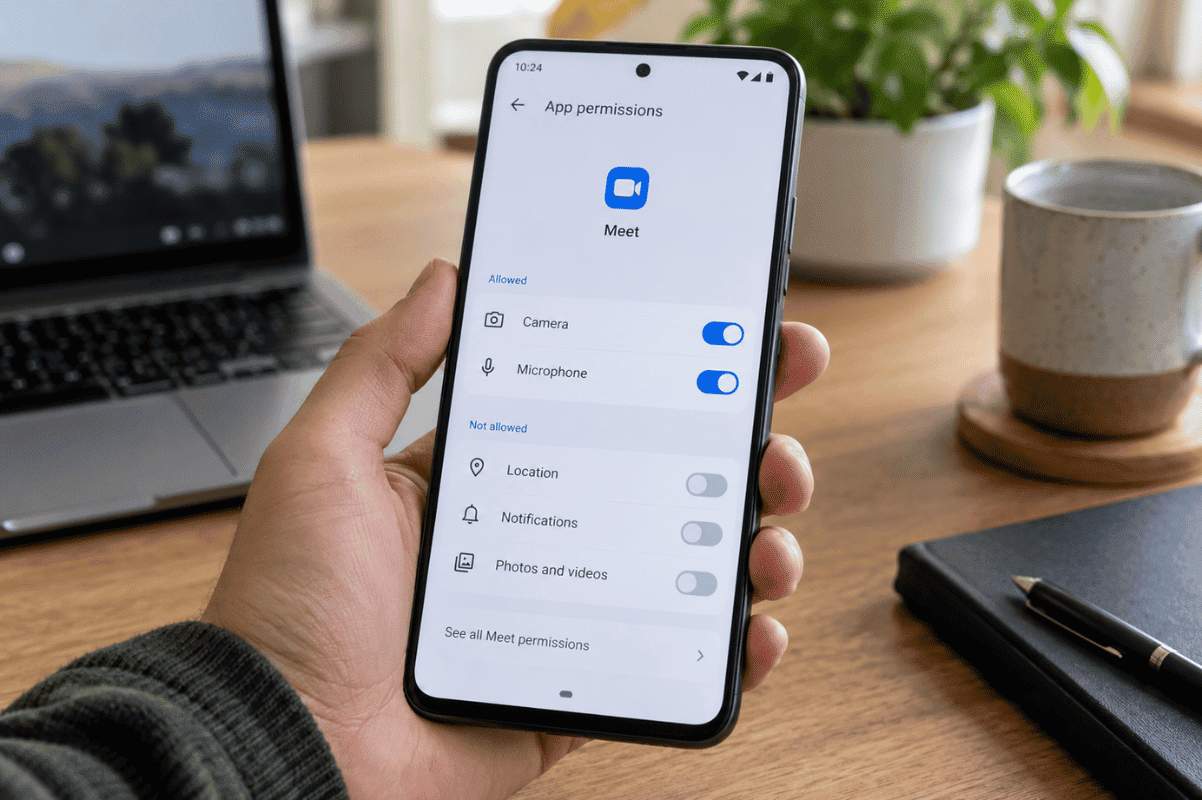
Your browser may ask permission to use your phone’s camera and microphone. Select Allow if you want to participate with video and audio.
5. Tap Join
Select Join and wait for the person hosting the FaceTime call to let you into the conversation. Apple requires the host to approve participants joining through the web.

FaceTime Limitations on Android
FaceTime on Android does not provide every feature available on Apple devices. You are joining through a browser rather than using the complete FaceTime app.
For example, Apple states that SharePlay and screen sharing are not available when using FaceTime on the web.
You also need the FaceTime link from an Apple user before you can join.
What to Do If FaceTime Is Not Working on Android
If the FaceTime page will not load or your camera or microphone is not working, try these steps:
- Update Google Chrome or Microsoft Edge.
- Check that your Wi-Fi or mobile data connection is stable.
- Make sure your browser has permission to access the camera and microphone.
- Close the browser and open the FaceTime link again.
- Restart your Android phone.
- Try switching between Wi-Fi and mobile data.
- Ask the host to confirm that the FaceTime link is still available and that they have approved your request to join.
If video works but nobody can hear you, check whether your microphone is muted before assuming the phone has a hardware problem.
When Could It Be a Phone Problem?
If your camera or microphone also fails in other apps, such as your regular Camera app or another video-calling service, the issue may be related to the phone rather than FaceTime.
Basic troubleshooting should always come first. However, persistent camera, microphone, connectivity, or other hardware problems may require Cell phone repair.
If you are in Mississauga and the problem continues across multiple apps after restarting and updating your phone, Fix Phone Mississauga can help diagnose the device. Consider professional Phone repair Mississauga assistance when normal troubleshooting does not resolve the underlying phone issue.
Android users can join FaceTime calls without owning an Apple device, but they need a FaceTime link from an Apple user and a compatible browser. Start by checking your browser, permissions, and internet connection. If the same camera, microphone, or connectivity problem affects several apps, it may be time to have the phone professionally inspected.