
Receiving a call from a private or blocked number can be frustrating, especially when you need to know who called. On Android, a private number means the caller has hidden their phone number from your caller ID. Because the actual number is not displayed, Android usually cannot simply show you the number or let you call it back directly.
The good news is that there are several practical things you can try before visiting a repair shop.
What Does “Private Number” Mean on Android?
A private number appears when the caller has intentionally hidden their phone number. Depending on the Android phone and carrier, you may see labels such as:
- Private Number
- No Caller ID
- Unknown
- Blocked
- Restricted
These labels do not always mean the same thing. An unknown call may simply be from a number your phone cannot identify, while a private call usually means the caller has deliberately hidden their caller ID.
Can You Call a Private Number Back?
In most cases, you cannot directly call back a private number because your Android phone never received the caller’s number as visible caller ID information.
However, you can try a few options depending on your phone, carrier, and Android version.
1. Check Your Recent Calls
Start with the simplest solution.
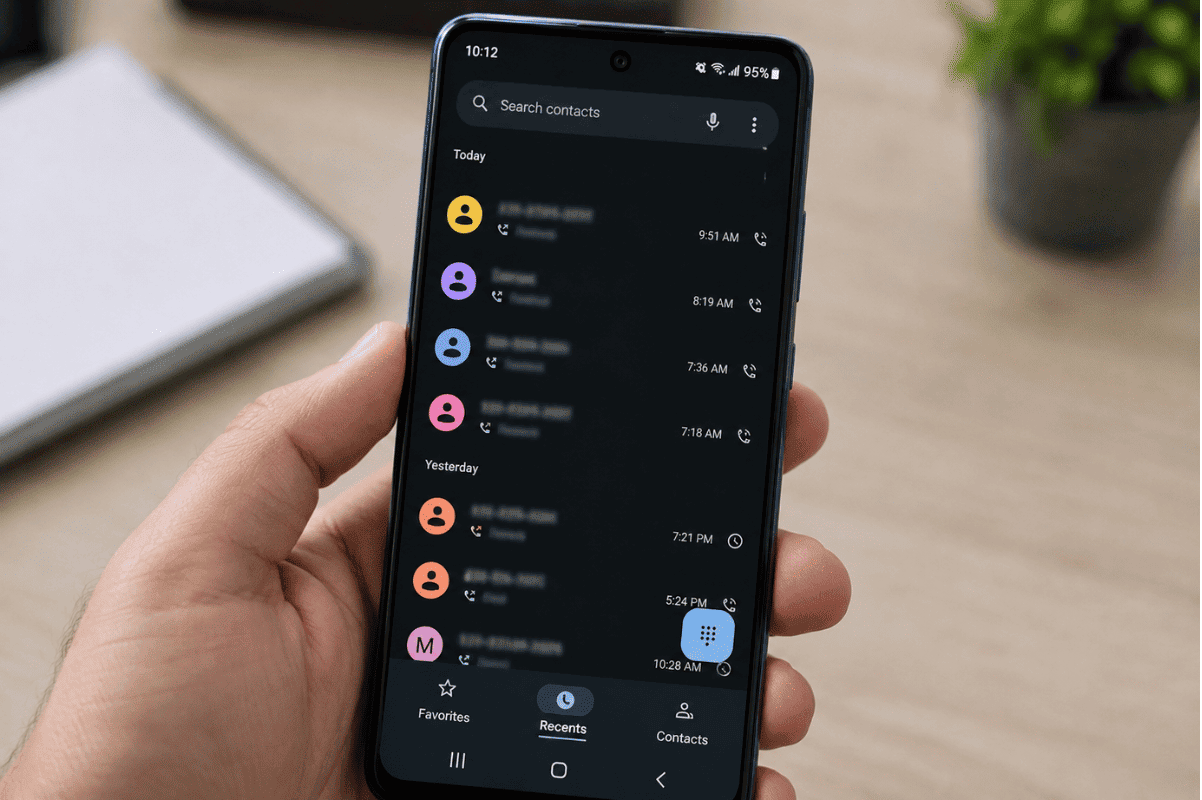
Open the Phone app and tap Recents or Call History. Look for the private call and tap it.
If your phone shows an actual number, you can select Call to return the call.
If it only says “Private Number” or “No Caller ID,” there may not be a number available to call.
2. Try Calling Back Using Your Carrier’s Return-Call Feature
Some North American phone carriers provide network-based features that can help identify or return certain recent calls. Availability and dialing codes vary by carrier and location.
Before using a return-call code you find online, check your carrier’s official support information. The feature may not work for blocked calls, and some services may have limitations or fees.
3. Check Your Voicemail
If the private caller left a voicemail, listen to the message carefully.
The caller may:
- Identify themselves
- Give you a callback number
- Mention their company or reason for calling
- Ask you to contact them through another method
This is often the safest way to determine who called without trying to uncover a hidden number.
4. Check Call Blocking and Caller ID Settings
If you regularly receive calls marked as private or unknown, check your Android phone’s call settings.
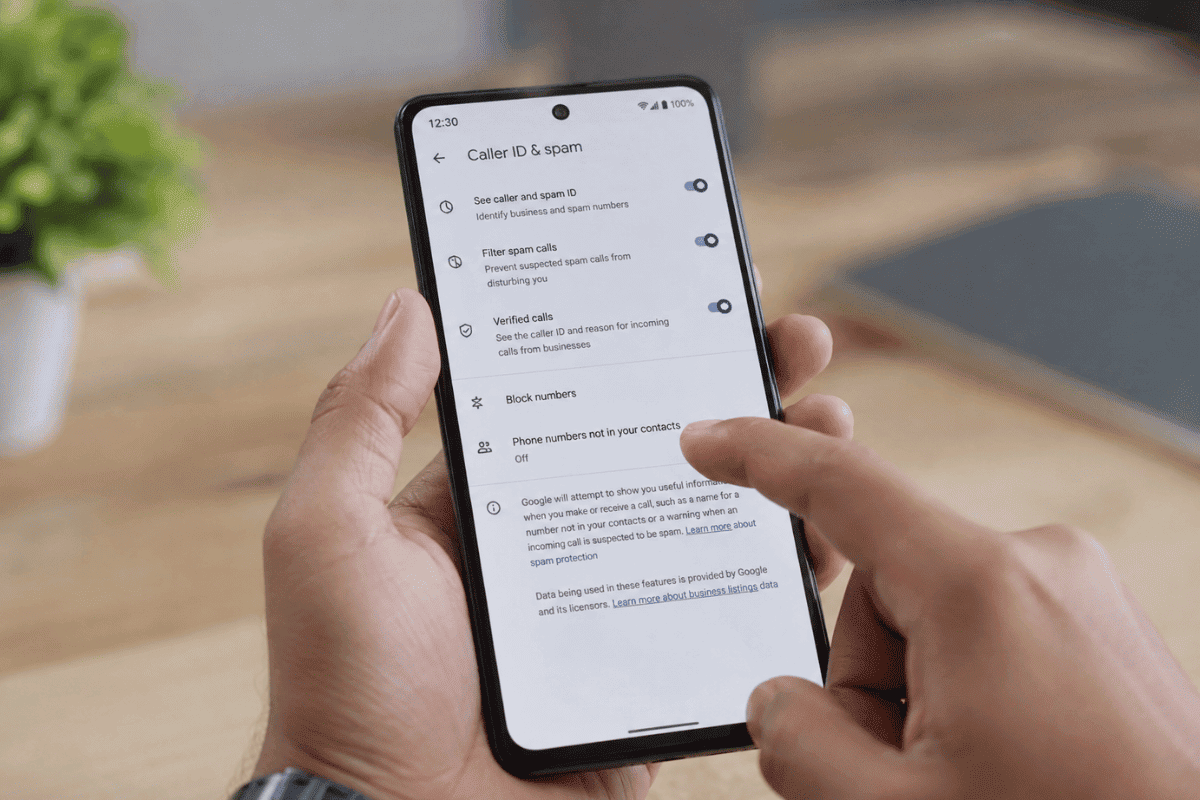
Open:
Phone app → Settings → Caller ID & spam
The exact menu can vary by Samsung, Google Pixel, Motorola, and other Android devices.
You can also review blocked numbers and spam protection settings. These settings usually help identify or filter unwanted calls, but they generally cannot reveal a number that the caller intentionally concealed.
5. Contact Your Mobile Carrier
If you believe the call was important, contact your mobile carrier.
Your carrier may be able to explain what information is available for the call and whether its network offers any private-call management features. However, carriers generally cannot simply reveal a caller’s identity to you on request.
If the call involves harassment, threats, or repeated unwanted contact, tell your carrier about the situation and ask what reporting or call-tracing options are available.
6. Do Not Rely on Apps That Promise to Reveal Every Private Number
Be careful with Android apps or websites claiming they can reveal any hidden caller instantly.
A private caller ID is normally hidden at the network level. An app cannot magically recover information that was never provided to your phone.
Avoid giving an unknown app unnecessary permissions such as access to your contacts, messages, or complete call history just because it claims to reveal private numbers.
What If You Cannot Call Anyone Back From Your Android Phone?
If the problem is not limited to one private caller and you cannot return any calls, there may be a different issue.
Try these basic steps:
- Restart your Android phone.
- Check whether you have mobile network service.
- Confirm that Airplane Mode is turned off.
- Try calling a saved contact.
- Check whether your SIM or eSIM is active.
- Install available Android system and carrier updates.
- Contact your mobile carrier if outgoing calls continue to fail.
If your phone has physical damage, SIM-related problems, or a software issue affecting calling, professional Cell phone repair may be appropriate after basic troubleshooting.
When Should You Get Professional Help?
You normally do not need a repair shop simply because one caller appears as private. That is usually a caller ID or carrier feature rather than a hardware problem.
However, consider professional help if your Android phone also has problems such as:
- Calls constantly dropping
- No cellular service despite an active SIM
- Microphone or speaker problems during calls
- The Phone app repeatedly crashing
- SIM or eSIM detection problems
- Outgoing calls failing to connect
If basic troubleshooting does not solve the problem, a local technician can check whether the issue is related to the phone, software, SIM, or network settings. For customers looking for Phone repair Mississauga, a professional mobile repair shop can help diagnose calling and connectivity problems.
You generally cannot call a genuinely private number directly from Android because the caller has hidden their number. Start by checking your recent calls and voicemail, then review your phone and carrier settings. If the issue affects all outgoing calls rather than just one private caller, troubleshoot your network and SIM before considering professional repair.
For safety, avoid questionable apps that promise to reveal every hidden caller. If a private caller is threatening or harassing you, keep records of the calls and contact your carrier or the appropriate authorities for guidance.