If you use an Android phone and a Mac, switching between devices can interrupt your workflow. The good news is that you can send, receive, and manage your Android text messages directly from your Mac without constantly picking up your phone.
This guide explains the easiest methods that work for most Android devices. If you run into problems, we’ll also cover common fixes. If the issue turns out to be caused by a hardware fault, damaged software, or a failing device, it may be time to visit a Phone repair Mississauga professional for a proper diagnosis.
Can You Get Android Messages on a Mac?
Yes. Google provides a web-based version of Google Messages that syncs your conversations to your computer. As long as your Android phone has an internet connection, you can access your messages from almost any modern web browser on macOS.
This works best if:
- Your Android phone uses Google Messages as the default texting app.
- Your phone is connected to Wi-Fi or mobile data.
- Your Mac has internet access.
Method 1: Use Google Messages for Web
This is the easiest and most reliable solution.
Step 1: Install Google Messages
If your phone doesn’t already have Google Messages:
- Open the Google Play Store.
- Search for Google Messages.
- Install the app.
- Set it as your default SMS app if prompted.
Step 2: Open Messages for Web
On your Mac:
- Open Safari, Chrome, Edge, or Firefox.
- Visit the Google Messages for Web page.
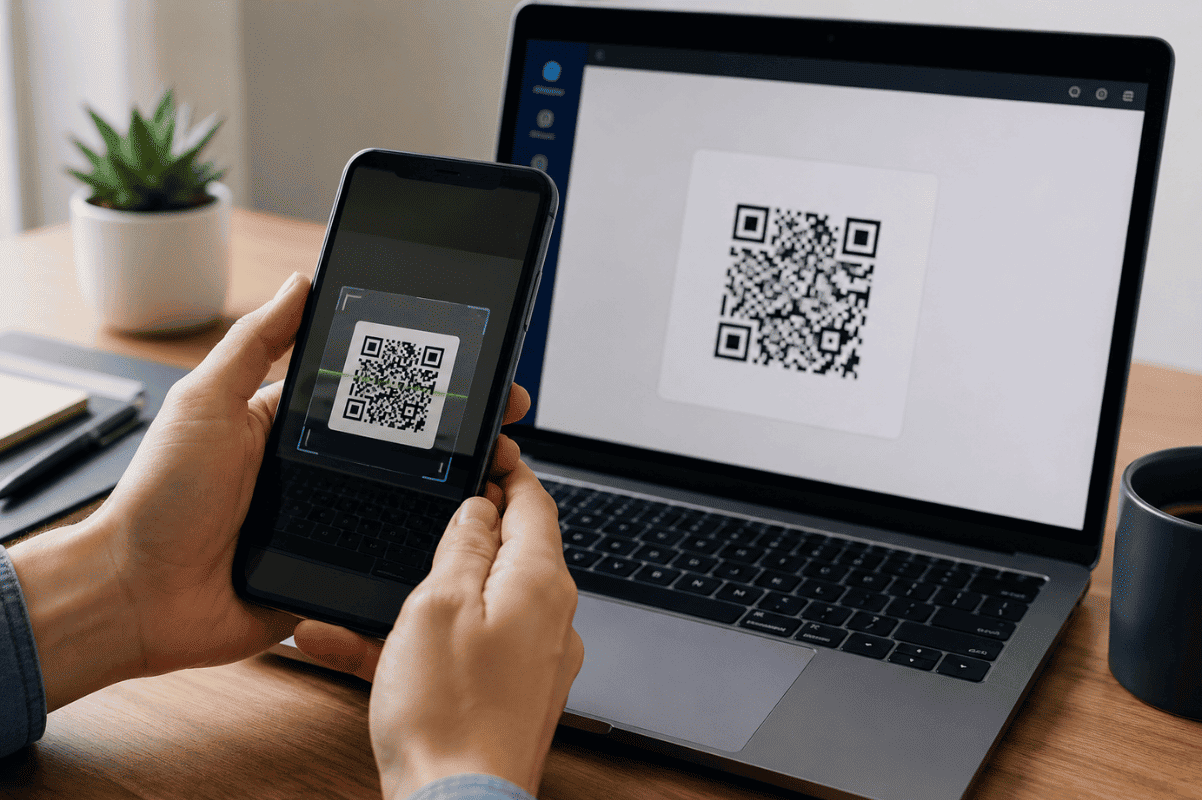
- A QR code will appear.
Step 3: Pair Your Android Phone
On your Android phone:
- Open Google Messages.
- Tap your profile picture or menu.
- Select Device pairing.
- Tap QR code scanner.
- Scan the QR code shown on your Mac.
Within seconds, your conversations should appear on your Mac.
Method 2: Keep Messages Synced
To avoid scanning the QR code every time:
- Keep your Google account signed in.
- Select the option to remember your computer during setup.
- Leave your phone connected to the internet.
Now your messages will continue syncing automatically.
Method 3: Use Intel Unison (If Supported)
Some Windows integration apps are unavailable on macOS, but if your workflow includes supported companion software or cloud messaging services, they may allow limited message access.
However, for most Mac users, Google Messages remains the simplest and most dependable option.
What If Messages Are Not Syncing?
If your conversations don’t appear, try these fixes.
Check Your Internet Connection
Both your phone and Mac must be online.
Restart your Wi-Fi connection if needed.
Update Google Messages
Older app versions may experience syncing issues.
Open the Play Store and install any available updates.
Restart Your Phone
A simple restart often refreshes the connection between your phone and Google’s servers.
Pair the Device Again
If syncing stops:
- Remove your paired computer.
- Generate a new QR code.
- Pair your Mac again.
This often resolves connection problems.
Clear Google Messages Cache
If the app behaves unexpectedly:
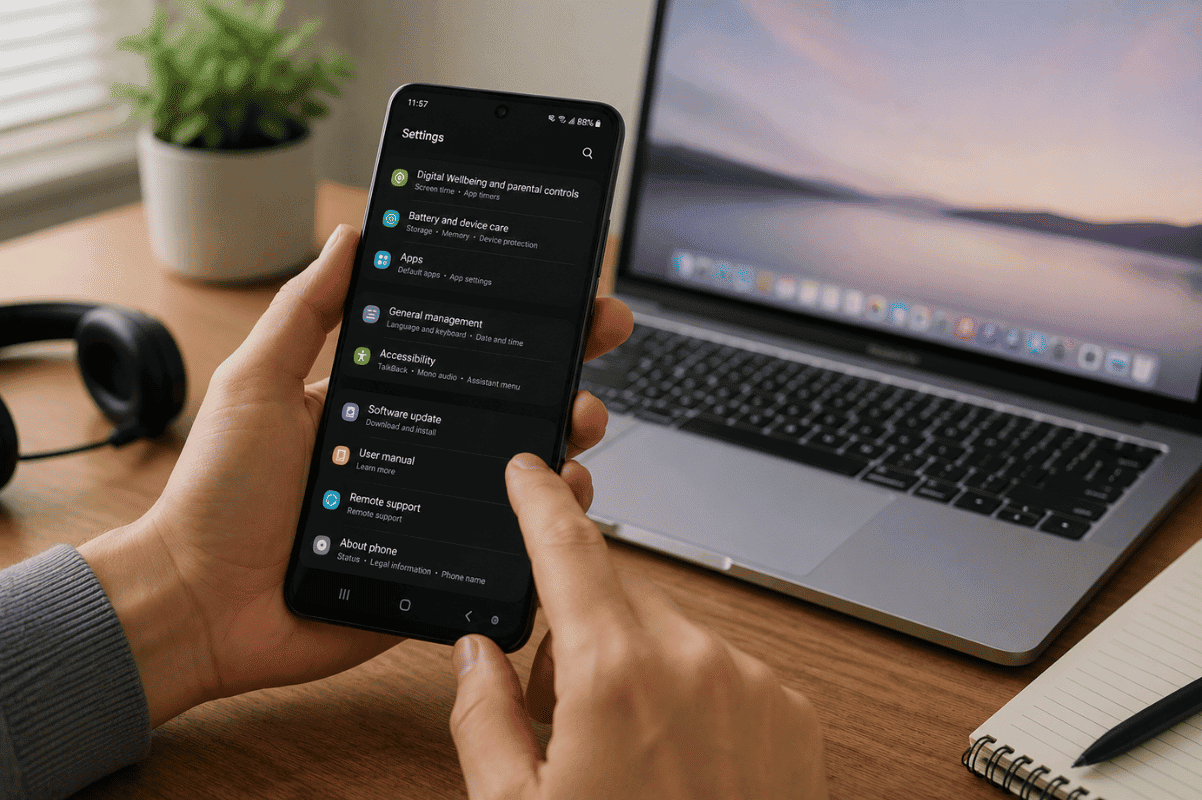
- Open Android Settings.
- Go to Apps.
- Select Google Messages.
- Open Storage.
- Clear Cache.
Avoid clearing app data unless necessary, as you’ll need to sign in again.
Can You Make Calls from Your Mac?
Google Messages is designed for SMS and RCS messaging.
Voice and video calls depend on the app you use:
- Google Meet
- Telegram
- Signal
These services offer their own Mac applications or browser support.
Is Google Messages Secure?
Yes. Your conversations are linked to your Google account and device pairing.
For RCS chats, many conversations also support end-to-end encryption when both users have compatible settings enabled.
Always sign out if you’re using a shared or public computer.
Common Problems and Solutions
| Problem | Solution |
| QR code won’t scan | Increase screen brightness and clean your phone camera lens. |
| Messages won’t load | Refresh the browser and confirm your phone is online. |
| Messages missing | Make sure Google Messages is your default messaging app. |
| Sync stops | Remove the paired device and reconnect it. |
| Browser errors | Try Chrome or another updated browser. |
When the Problem Is More Than Software
If your Android phone cannot stay connected, randomly restarts, freezes, or refuses to connect to messaging services after software troubleshooting, there may be an underlying hardware issue.
Problems involving damaged storage, charging components, or motherboard faults usually require professional diagnostics. In some cases, advanced Micro Soldering techniques may be needed to repair damaged circuits instead of replacing the entire device.
Getting Android messages on your Mac is straightforward with Google Messages for Web. Once paired, you can reply to texts, stay organized, and avoid constantly switching between your phone and computer.
If pairing fails even after following the troubleshooting steps, or your phone shows signs of hardware failure, it’s best to have the device inspected by a qualified repair technician before the issue becomes more serious.